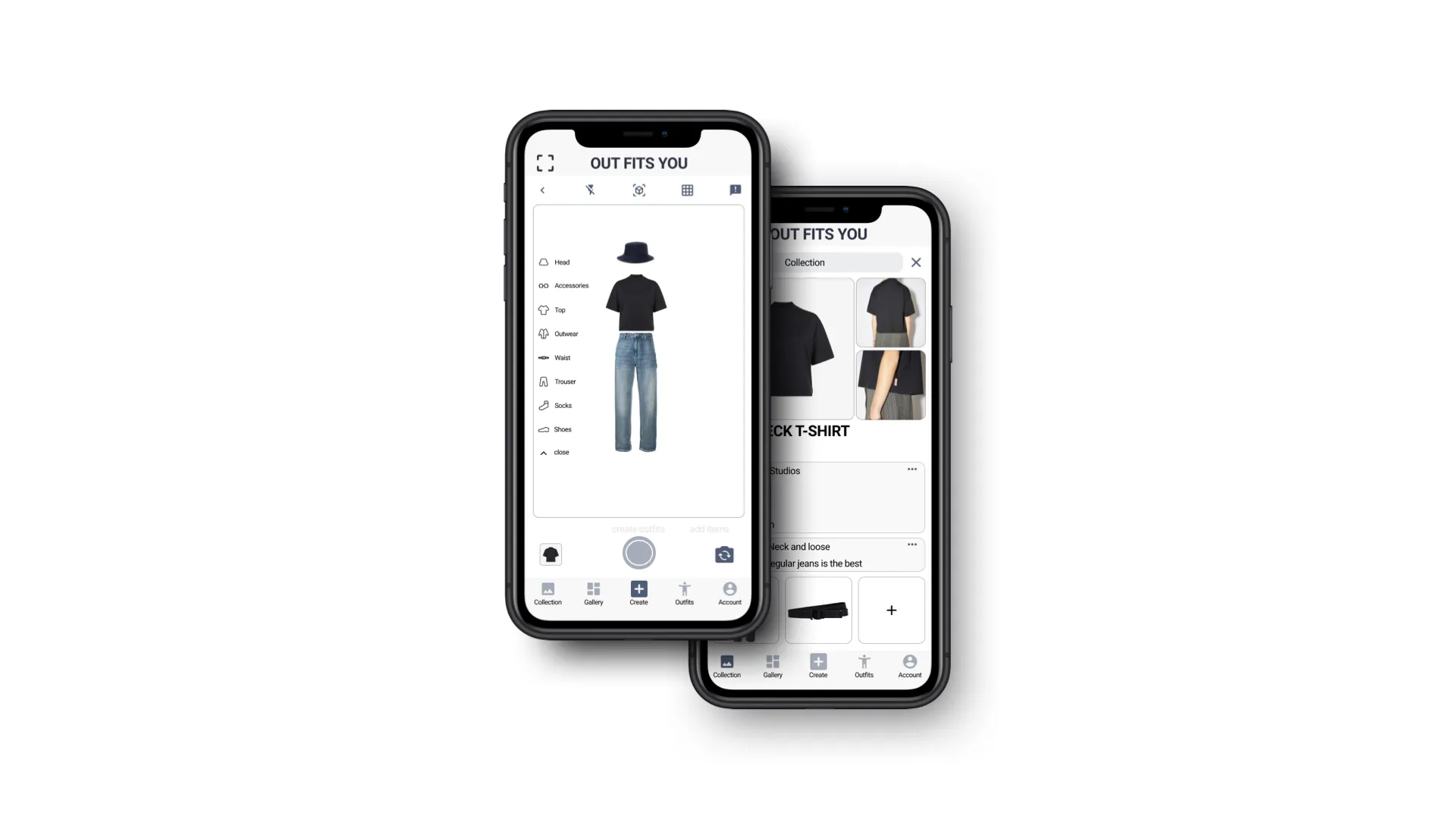
Outfits You
Background
As e-commerce continues to grow, especially for small fashion startups, customers increasingly rely on digital channels to understand clothing. Yet many users still struggle with evaluating texture, fit, color accuracy, body type compatibility, and styling online.
Brands want to offer richer experiences without the cost of physical retail, while users want more confidence before purchasing.
Outfits You aims to bridge this gap by creating an AR-driven virtual fitting room and digital fashion showroom where users can try on pieces, explore material details, and experiment with creating outfits.
Challenge
How might we help users understand the texture, color, size, fit, and material of clothing through a virtual fitting and showroom experience?
Solution
An AR-powered app where users can:
- Virtually try on clothing
- Create and customize outfits
- Explore digital showrooms for material details
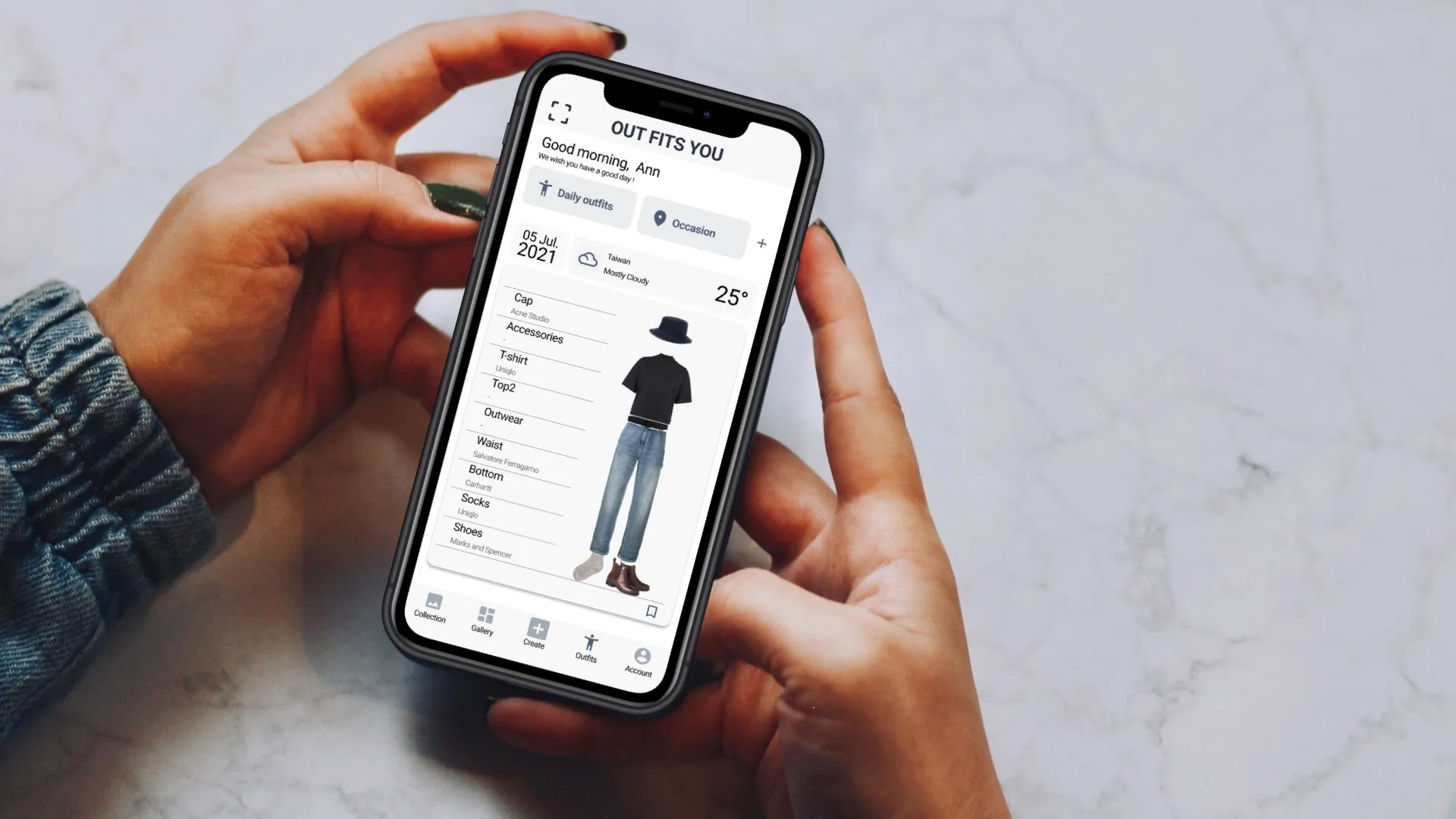
- Receive outfit inspiration based on weather, occasion, and personal style
A glimpse at behind the scene
Competitive Audit · User Research · UX Design · Prototyping · AR Feasibility Study · Usability Testing
Research
The Product’s Goal
Enable users to confidently explore clothing styles through:
- AR try-on
- Custom outfit creation
- Material exploration
- Occasion-based or weather-based inspiration
Technology Research
To understand the feasibility of AR virtual try-on, I explored existing computer vision and AR tools.
We summarize the following requirements:
- Detect body shape, pose, and face using the device camera
- Match clothing items to the user’s proportions
- Use LiDAR + IMU for accurate measurement (SLAM)
- Build a material preference database (texture, color, type, size)
- Generate outfit suggestions depending on weather and context
Open source Pose, Face Detection API
Augmented Reality API
ARKit (LiDAR), Augmented Reality(iOS), ARCore
Visual-Inertial Odometry(VIO)
User
Target audience spans ages 15 to 60+, focusing on anyone exploring personal style or looking for a more confident online shopping experience.
Persona
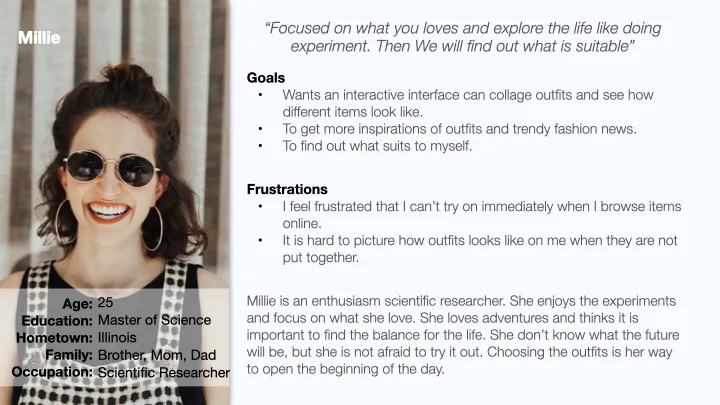
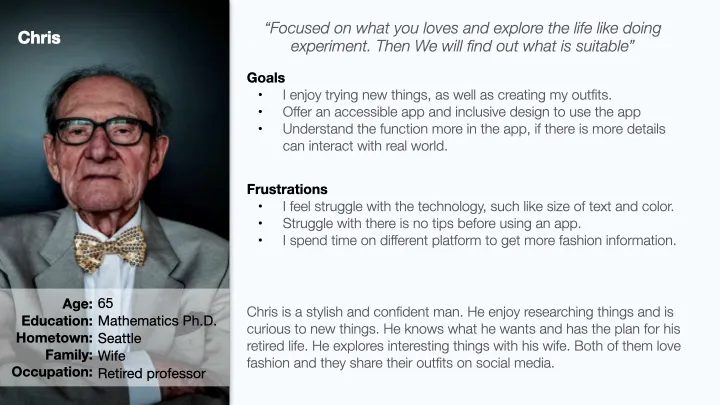
Takeaway
User needs
- Understand clothing materials, texture, and fit digitally
- Get inspiration based on weather, events, or style preferences
Accessibility
- The interface must be intuitive for users across a wide age range
- Cross-platform accessibility is highly valuable
Brand–User Connection
- Brands need more interactive ways to showcase items
- Users want to feel confident and informed before buyin
Design
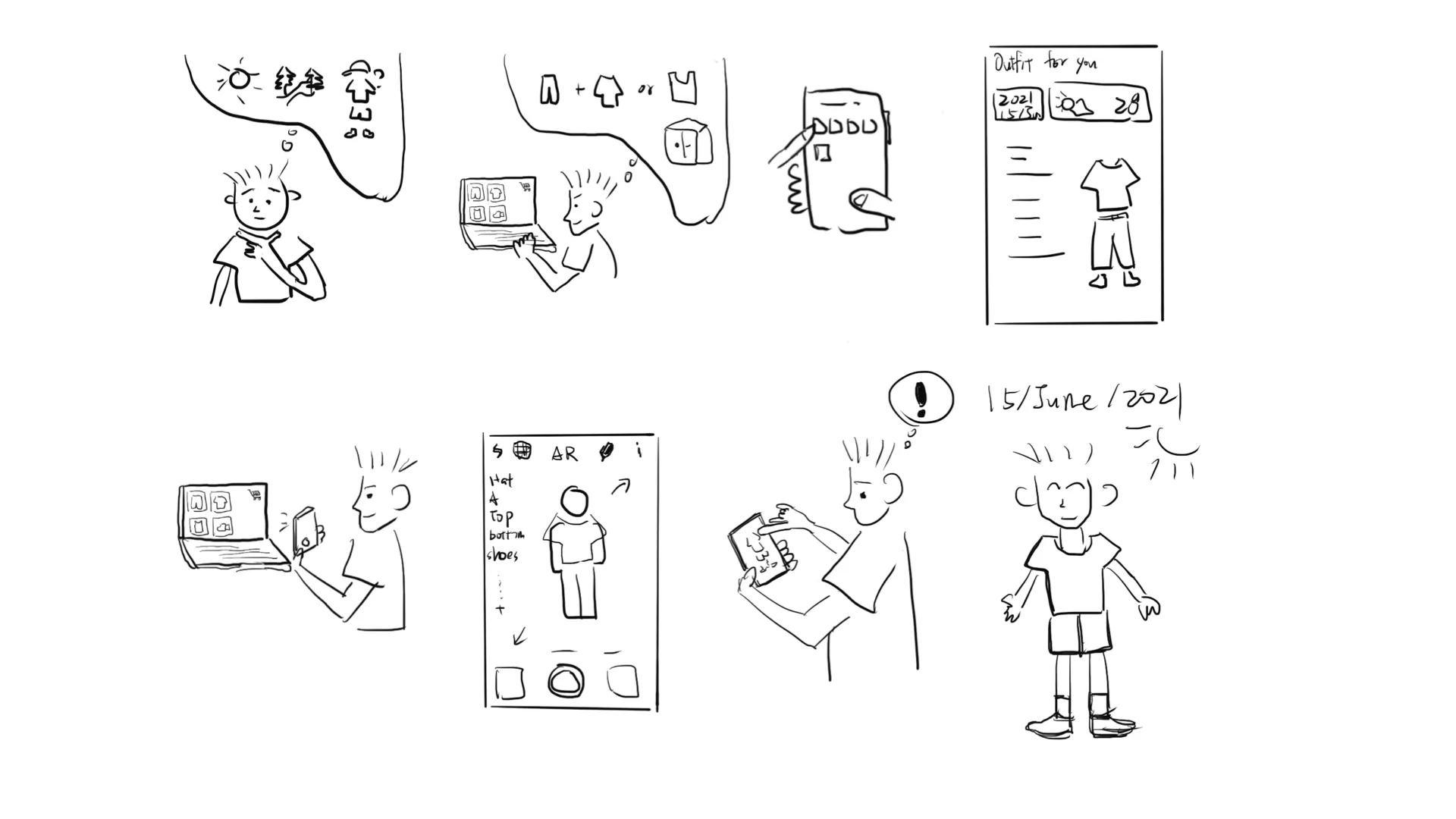
The design process began with a storyboard illustrating how a user might plan an outfit for a specific occasion using Outfits You.
Storyboard
-
The user plans a sunny-day hiking trip and wants to choose the right outfit.
-
He decides to buy something new for his excursion and browses online for ideas.
-
He opens Outfits You for more inspiration.
-
The app suggests outfits based on activity and weather.
-
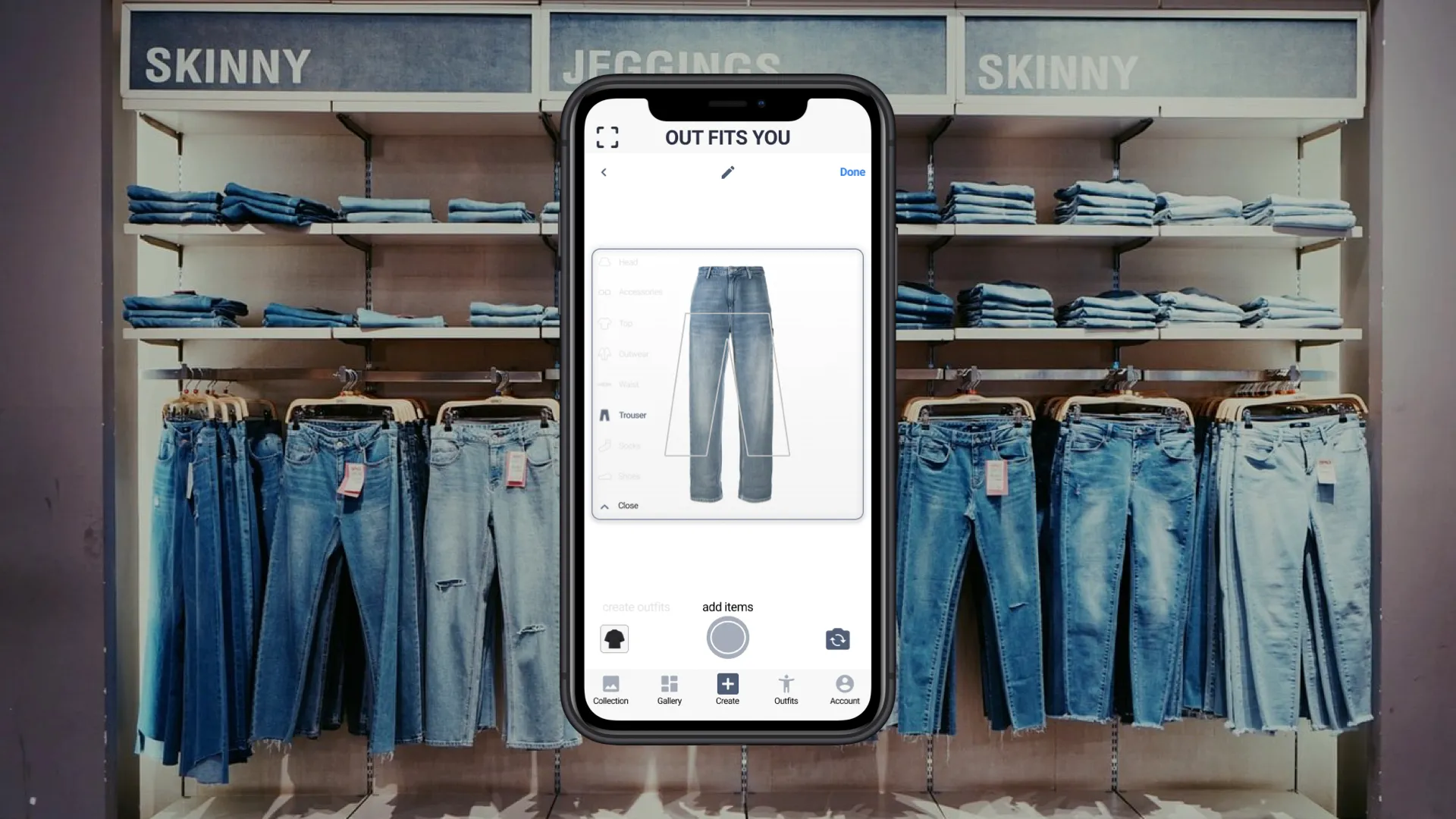
He selects an item, photographs similar clothing, and mixes it with pieces he already owns.
-
In AR fitting mode, he sees how the outfit looks on his body.
-
He visits the digital showroom for material details.
-
Satisfied, he saves the outfit and continues using the app.
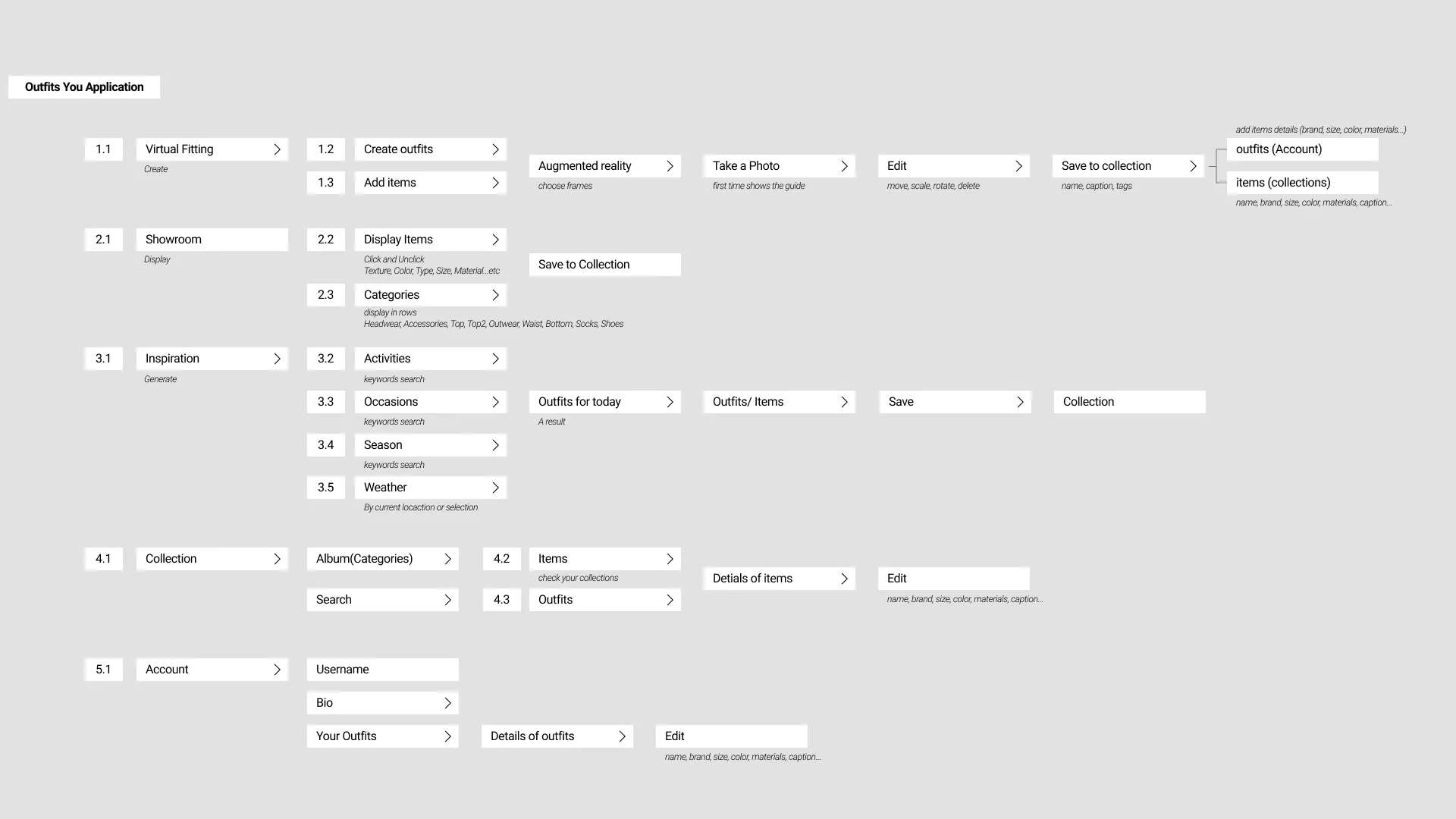
User Flow & Information Architecture
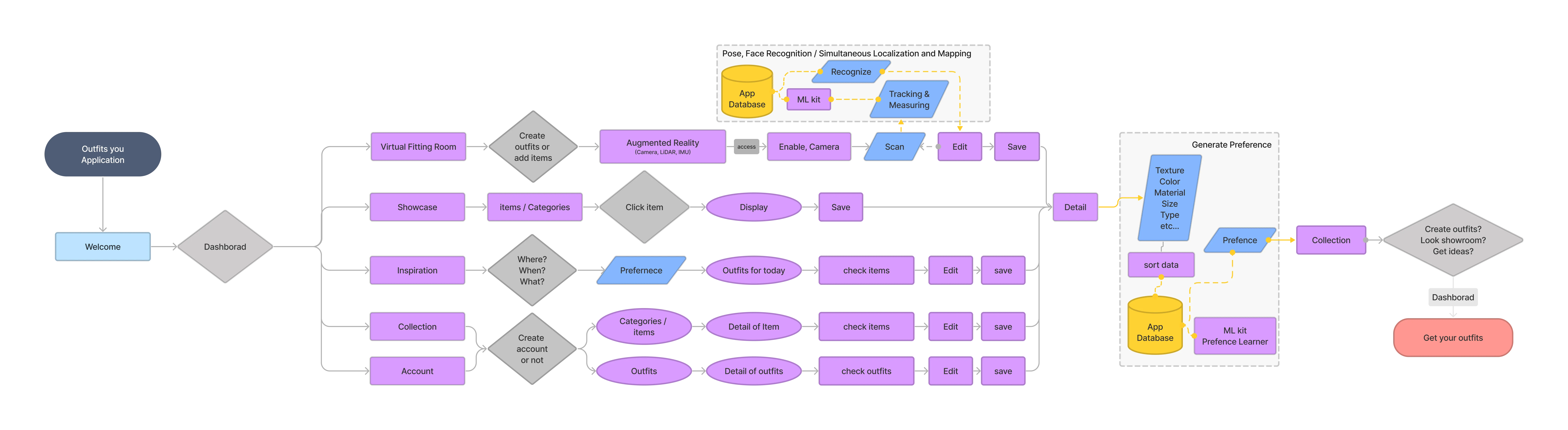
User Flow
Users navigate through three core actions:
- Create outfits
- Browse fashion items
- Get personalized inspiration
A generative preference system helps match user style with brand offerings. Body and item measurements support more accurate outfit creation.
Information Architecture
The IA organizes the app around:
- Virtual Fitting Room
- Digital Showroom
- Inspiration Hub
Each function includes clear goals, user actions, and content types. This structure informed UI decisions and guided feature prioritization.
Prototype
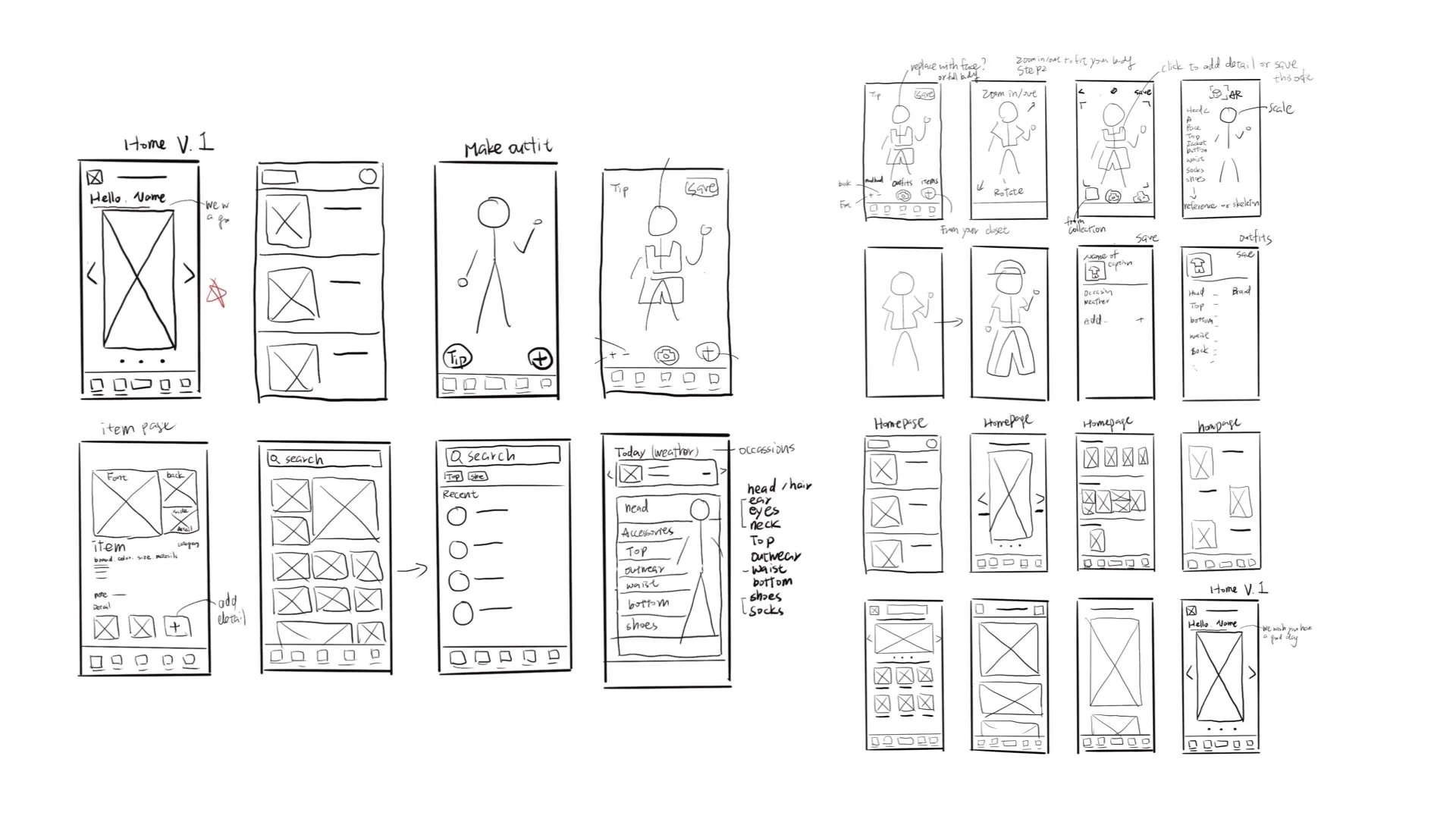
Paper Wireframes
These helped quickly explore layouts, interaction patterns, and core flows.
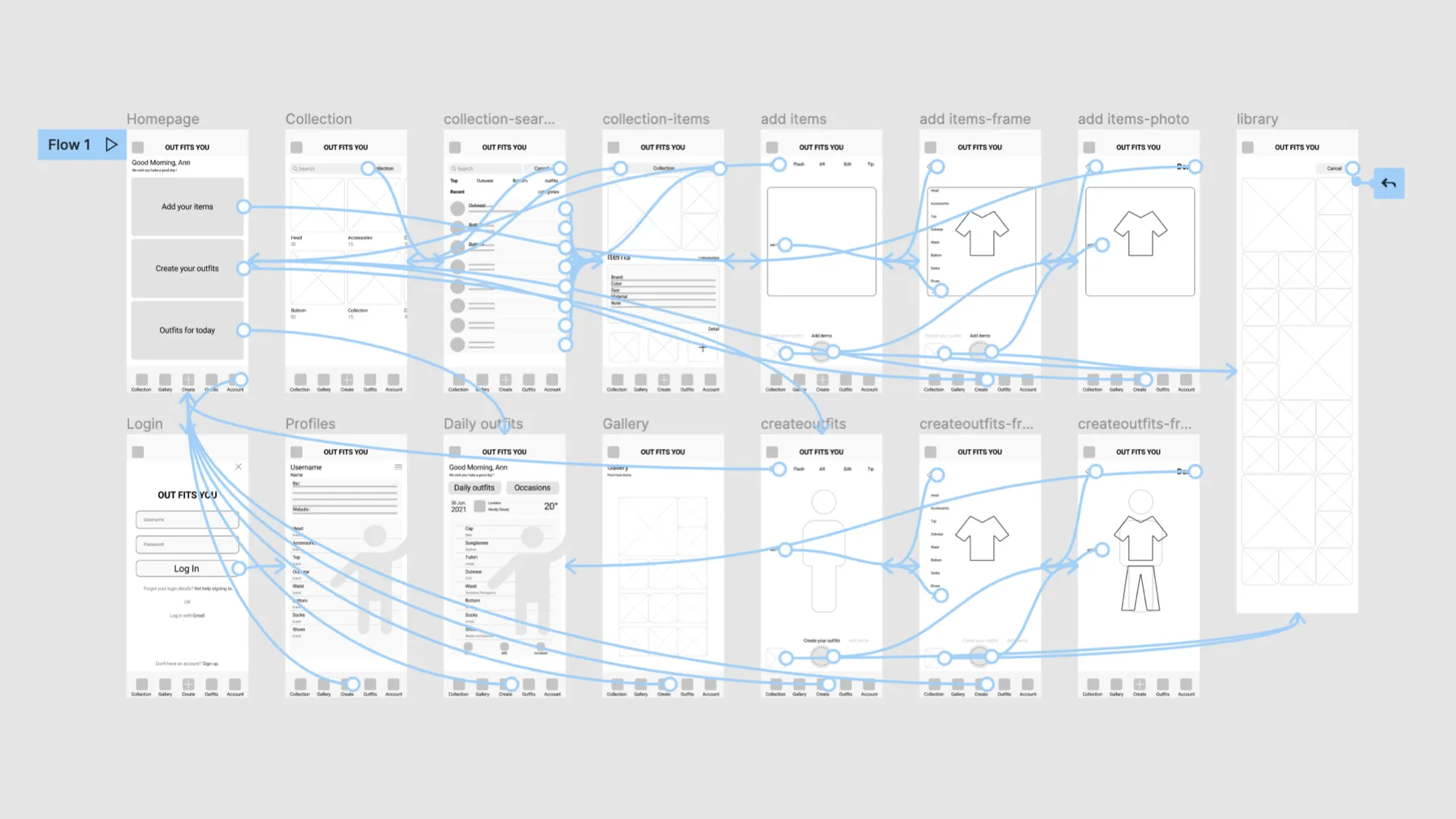
Low Fidelity Prototype
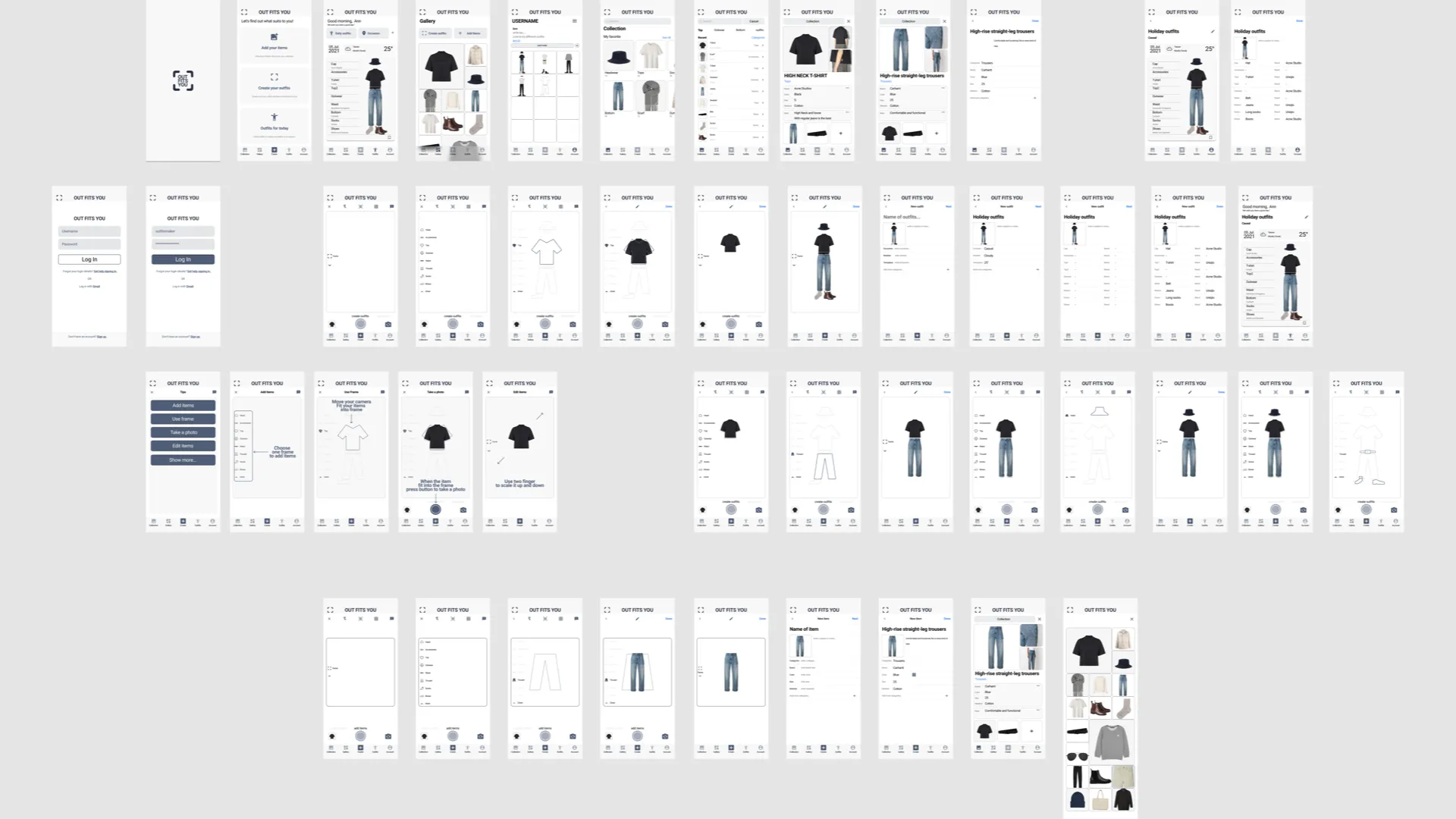
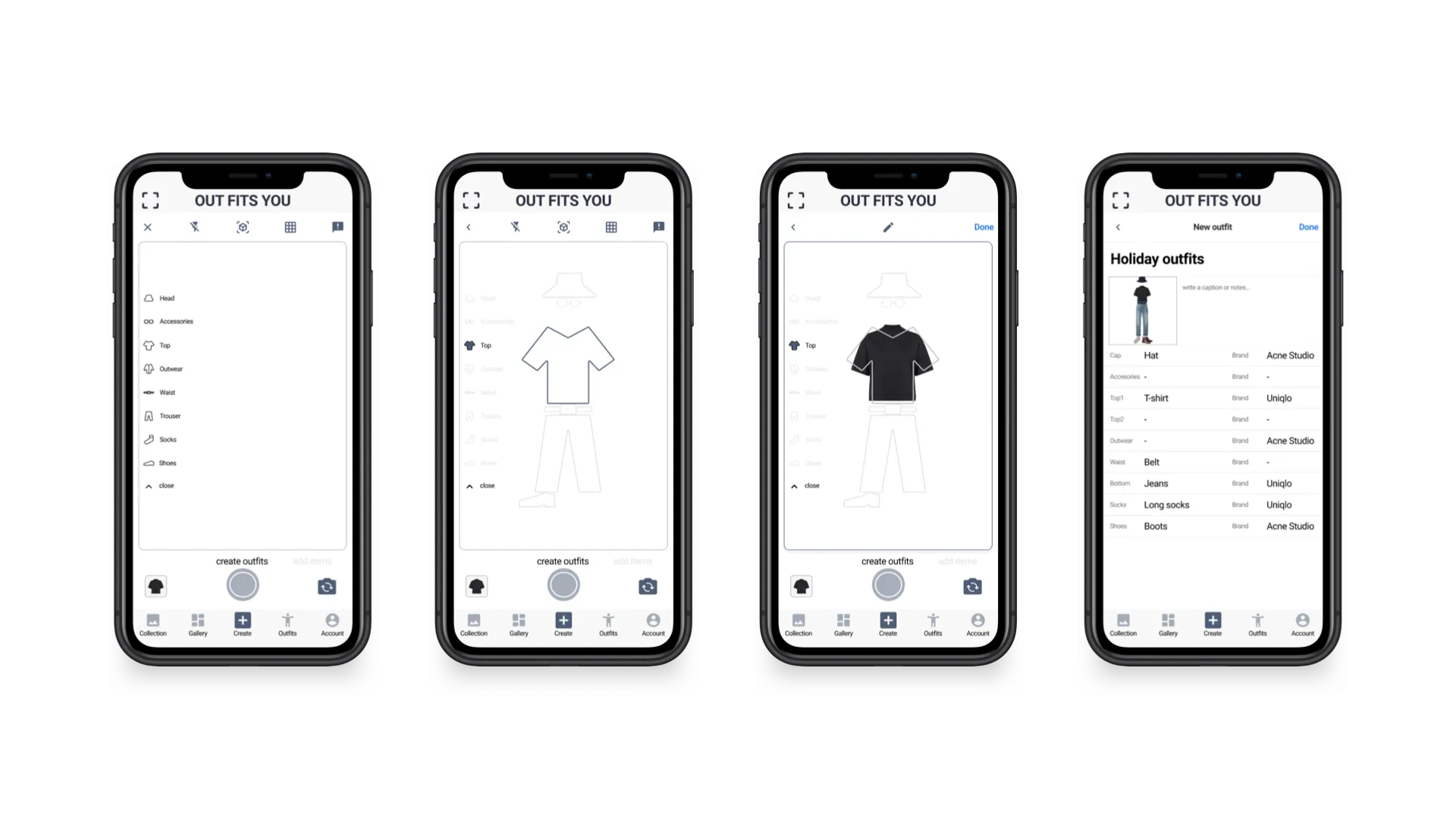
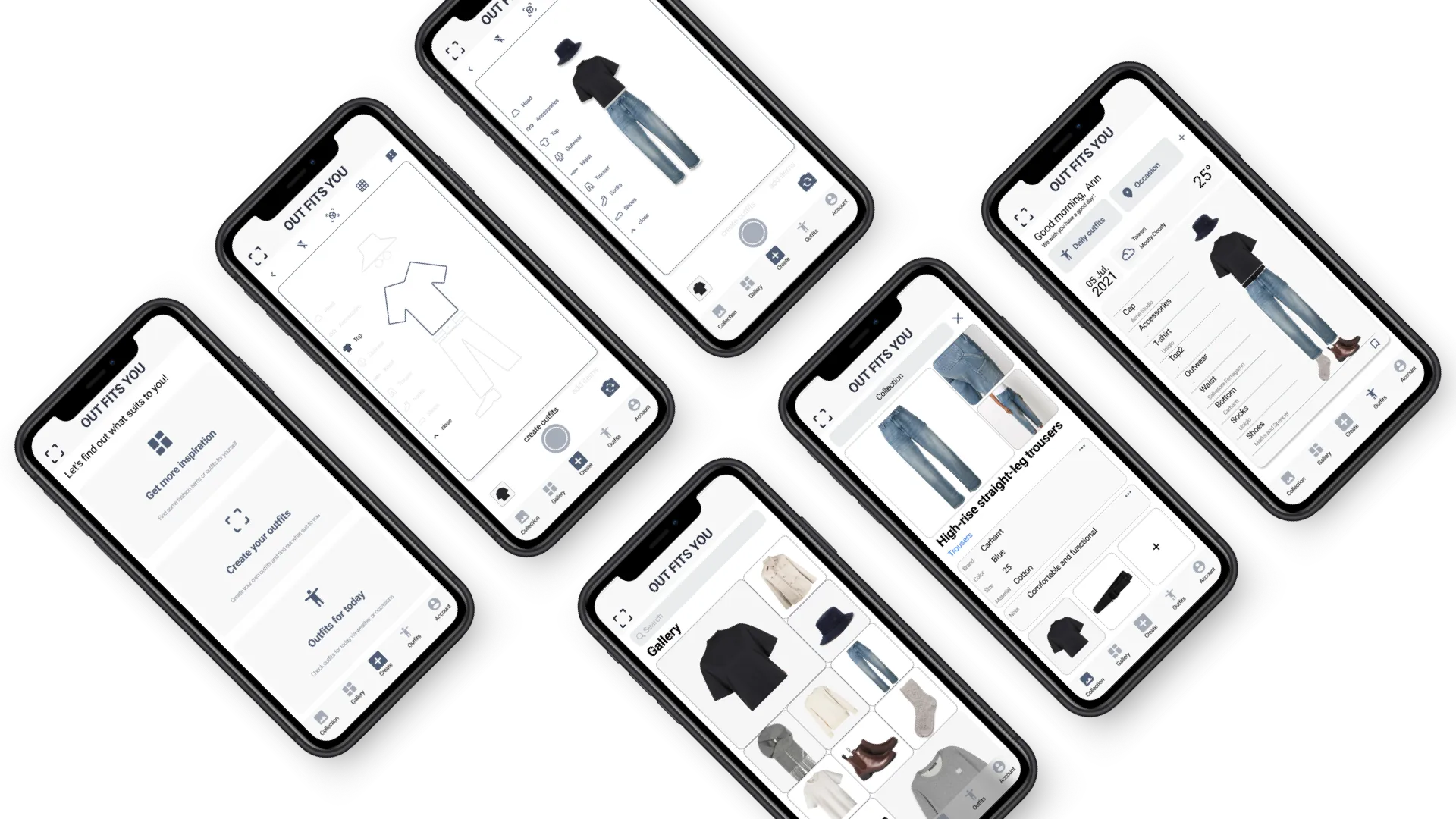
The early prototypes ensured the core interactions—switching between features, adding items, creating outfits—were intuitive. Mid-fidelity iterations refined details before usability testing.
Usability Study
Two rounds of user testing shaped the design.
Round 1 - Findings
What users struggled with:
-
Creating outfits intuitively
-
Finding precise inspiration
Insight
-
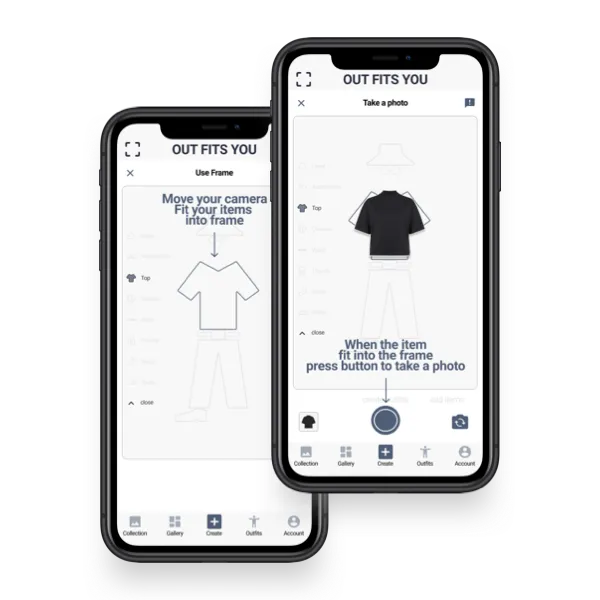
Add a frame reference to help capture item photos to scale
-
Add search + sorting (outfits, tags, occasions, item types)
Round 2 - Findings
What users needed:
-
Users want tips for adding items and creating outfits
-
Clear guidance on how to build collections for users
Insight
-
Add onboarding tips and mini tutorials
-
Use default clothing categories, allowing users to add custom ones
High Fidelity Prototype
Here is the multi-multi prototype on Figma.
Main Feature
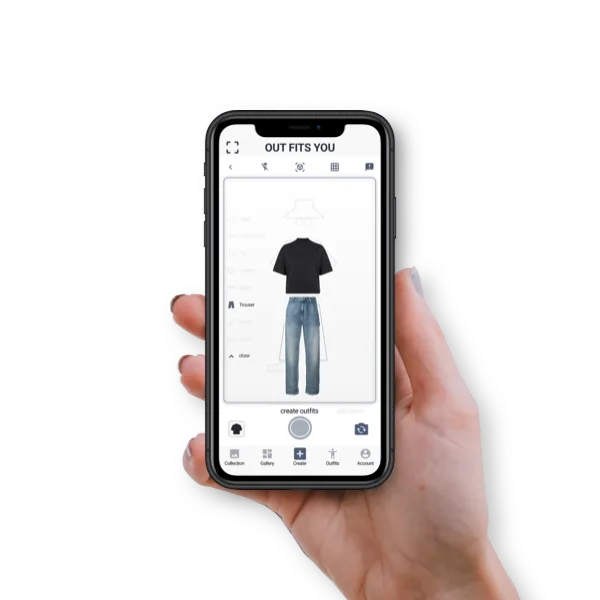
Create outfits and save them to collections
Takeaways
Impact
Outfits You gives users an engaging way to understand what suits them—visually, realistically, and interactively. AR try-on encourages experimentation, while contextual suggestions help users dress with confidence.
What I learned
This project taught me how initial concepts evolve significantly through usability testing. Repeated feedback cycles sharpened the interaction design, made features more accessible, and ensured the experience aligned with user needs.
Next Steps
Functionality
- Build a searchable community outfit database
Usability testing
- Conduct follow-up testing on new features
- Study the relationship between physical garments and their digital representations
Looking forward to next insight…
Reflection
I’ve always been drawn to emerging technologies and how they can reshape everyday experiences. In this project, I explored AR through the lens of fashion retail and applied principles I previously developed in my robotic arm project—such as environmental awareness, interaction flow, motion behavior, and bridging digital systems with physical experiences.
This project strengthened my ability to combine technical understanding with user-centered design. Each iteration reinforced how cross-disciplinary thinking leads to more meaningful and innovative solutions. I look forward to continuing this learning journey and taking on the next challenge.